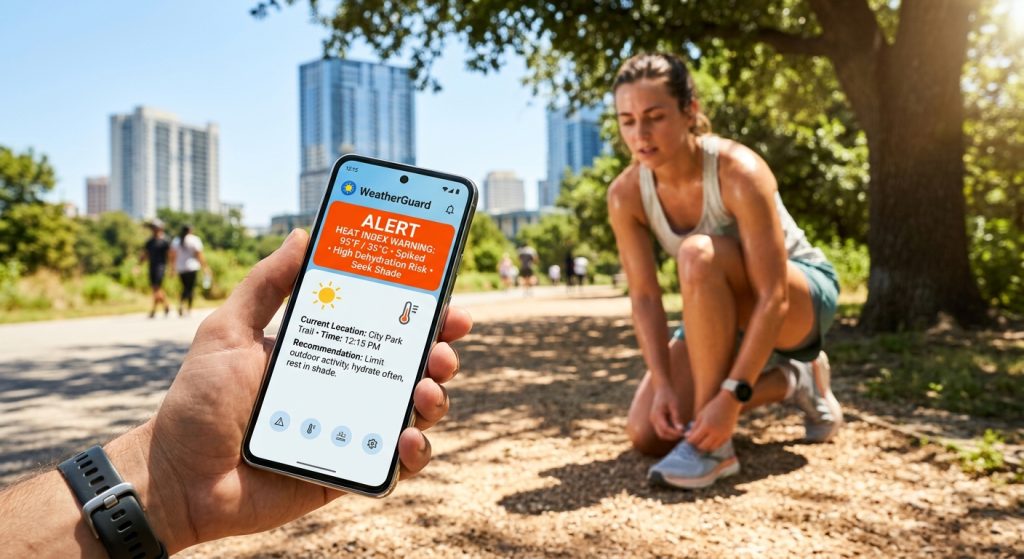
Running in the summer heat presents hidden dangers that can escalate quickly if you ignore shifting atmospheric conditions.
To stay safe while exercising outdoors, you must configure custom weather alerts for specific heat index thresholds using a reliable tracker. Specifically, setting up push notifications for dangerous temperature spikes ensures you modify your route before conditions become severe.
Why Do Runners Need Custom Weather Alerts?
Runners need custom weather alerts to monitor sudden temperature spikes and humidity increases in real time. Therefore, they can avoid dangerous heat exhaustion by adjusting their workout schedules before heading out.
Because summer weather changes rapidly, relying on a standard daily forecast is often insufficient. For instance, a clear morning can quickly turn into a sweltering afternoon with dangerous humidity levels. By using Weather Alerts: Radar Tracker, athletes receive immediate updates about microclimate shifts. In addition, you can read more weather alert guides on our blog at weather alert guides on our blog to optimize your training plans.
How Do I Set Up Push Notifications for Heat?
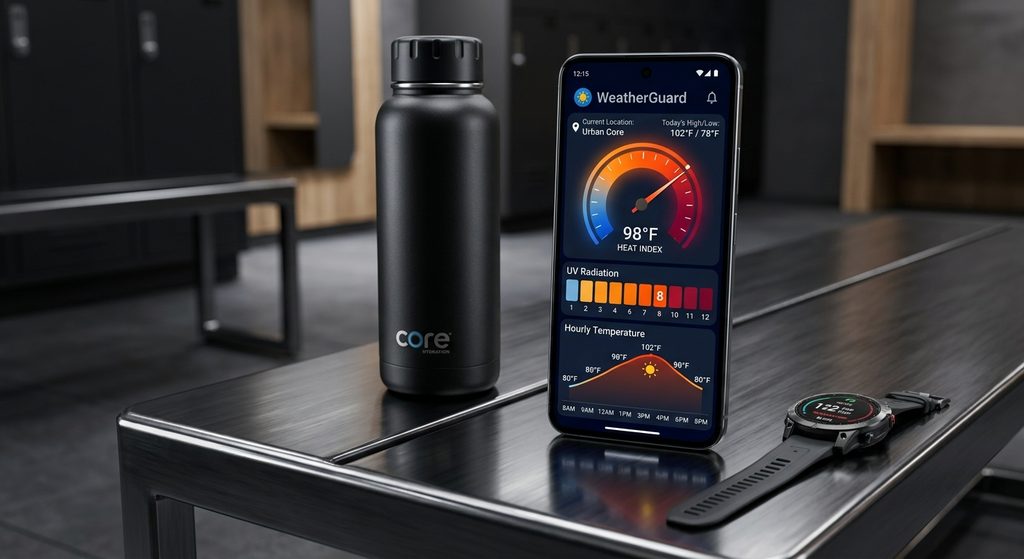
You can easily set up push notifications for heat by choosing specific temperature and humidity thresholds within the application settings. Next, assign a loud chime sound so you never miss a critical update while listening to music.
To begin, open your notification controls and select the heat index category. Then, input your maximum safe temperature limit. However, you should also utilize the Quiet Hours feature to prevent alarms from waking you up at night. As a result, your phone will only interrupt you during your Active Hours when you are likely to be running.
What Are the Best Alert Settings for Summer Workouts?
The best alert settings include enabling UV index warnings, severe weather warnings, and local heat advisories. For example, triggering a notification when the heat index exceeds 90 degrees keeps your daily runs significantly safer.
Similarly, monitoring air quality is just as crucial as tracking the heat. High temperatures often trap pollution near the ground, making breathing difficult during cardiovascular exercise. Also, keeping an eye on the live weather radar helps you dodge sudden summer thunderstorms.
| Alert Type | Suggested Threshold for Runners | Purpose |
|---|---|---|
| Heat Index | Above 90°F (32°C) | Prevents heat exhaustion and dehydration. |
| UV Index | Level 6 or higher | Prompts sunscreen application or seeking shade. |
| Air Quality (AQI) | Above 100 | Warns against poor air conditions that restrict breathing. |
Can I Use Home Screen Weather Widgets for Quick Checks?
Yes, you can add home screen weather widgets to view live weather radar and hourly temperature forecasts instantly. Finally, checking the microclimate data before your run takes only a few seconds without opening the app.
Widgets are incredibly helpful for a quick glance at the daily weather report while you lace up your shoes. Instead of navigating through menus, your customized dashboard displays exactly what you need. If you want to enhance your routine, you can download Weather Alerts to access these powerful tools.
Next Steps for Safer Summer Running
Before your next jogging session, take a moment to secure your safety by following these quick steps:
- Install the app on your mobile device via the App Store for iOS or Google Play for Android.
- Create custom weather alerts for heat index spikes above your personal comfort level.
- Enable push notifications with distinct sounds for severe weather warnings.
- Place a weather widget on your home screen for rapid hourly forecast checks.
- Review the live weather radar to ensure no pop-up thunderstorms are approaching your route.