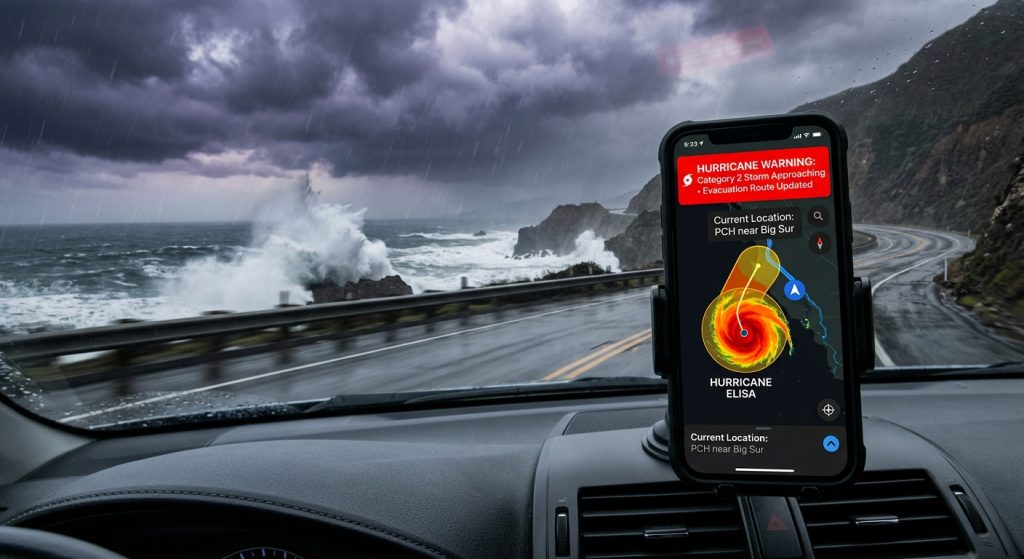
Planning a coastal trip requires reliable tools to monitor approaching storms and unexpected atmospheric shifts.
To stay safe while traveling along the coast, you must use a dedicated hurricane tracker app with push notifications. Weather Alerts: Radar Tracker provides live weather radar and severe weather warnings directly to your mobile device.
Why Do Coastal Travelers Need a Live Weather Radar?
Coastal travelers need a live weather radar to monitor rapid weather front movements and tropical storms in real time. Therefore, you can adjust your itinerary before dangerous conditions hit your specific location.
For example, tropical storms can develop rapidly over warm waters. In addition, localized squalls often produce severe hazards that generic forecasts miss. As a result, having access to an interactive doppler radar tracking map ensures you are never caught off guard on the highway or at the beach.
How Do Custom Weather Alerts Protect Your Trip?
Custom weather alerts protect your trip by sending specific push notifications for high winds, heavy rain, or sudden pressure shifts. Specifically, you can set precipitation intensity thresholds tailored exactly to your travel route.
However, constant notifications can become distracting during a long drive. Instead, you can utilize the Quiet Hours and Active Hours features to silence minor updates. Similarly, setting distinct chimes for rain ensures you only look at your phone when necessary. For instance, you might want alerts for a sudden drop in barometric pressure, which often signals an incoming storm.
What Are the Best Notification Settings for Emergencies?
The best notification settings for emergencies involve enabling official severe weather warnings with distinct, unmistakable siren sounds. Consequently, you will never sleep through a critical tornado warning or sudden flash flood alert.
Furthermore, managing your audio cues helps differentiate between a mild shower and a life-threatening event. Below is a recommended configuration for coastal travelers.
| Alert Type | Recommended Sound | Ideal Use Case |
|---|---|---|
| Hurricane Warning | Loud Siren | Immediate evacuation or shelter required. |
| Pressure Shift | Soft Bell | Tracking approaching weather front boundaries. |
| Heavy Rain | Chime | Adjusting daily driving or beach plans. |
Where Can I Download the Weather Alerts App?
You can download Weather Alerts: Radar Tracker for both iOS and Android directly from their respective official mobile app stores. Next, you should configure your home screen weather widgets for instant updates on the go.
Finally, exploring additional weather alert guides on our blog can help you master advanced tracking features. Meanwhile, you can download Weather Alerts to start securing your coastal vacation today.
- Install the app from the App Store for your iOS device.
- Get the Android version from Google Play.
- Enable location permissions to receive local severe weather warnings.
- Set up custom weather alerts for wind speed and rain thresholds.
- Add home screen weather widgets for quick radar access.